
Calendar
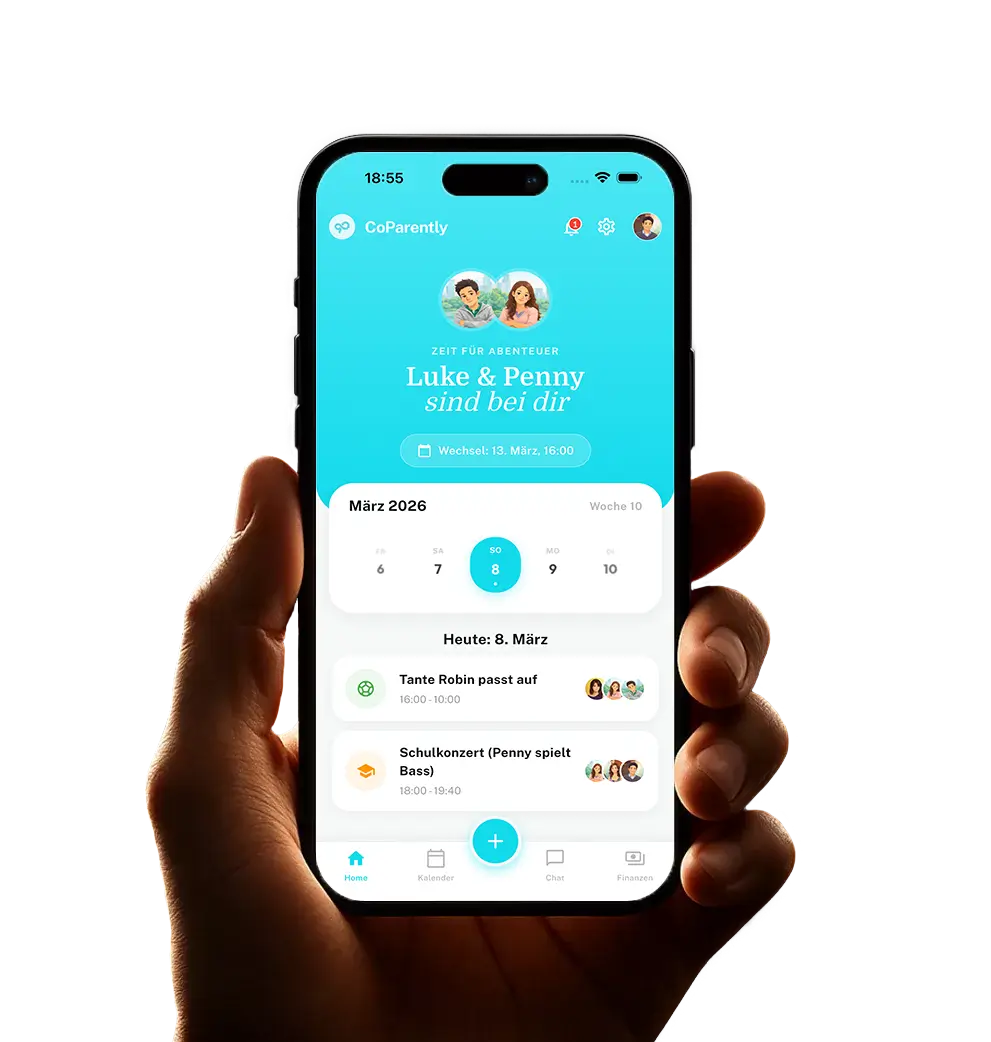
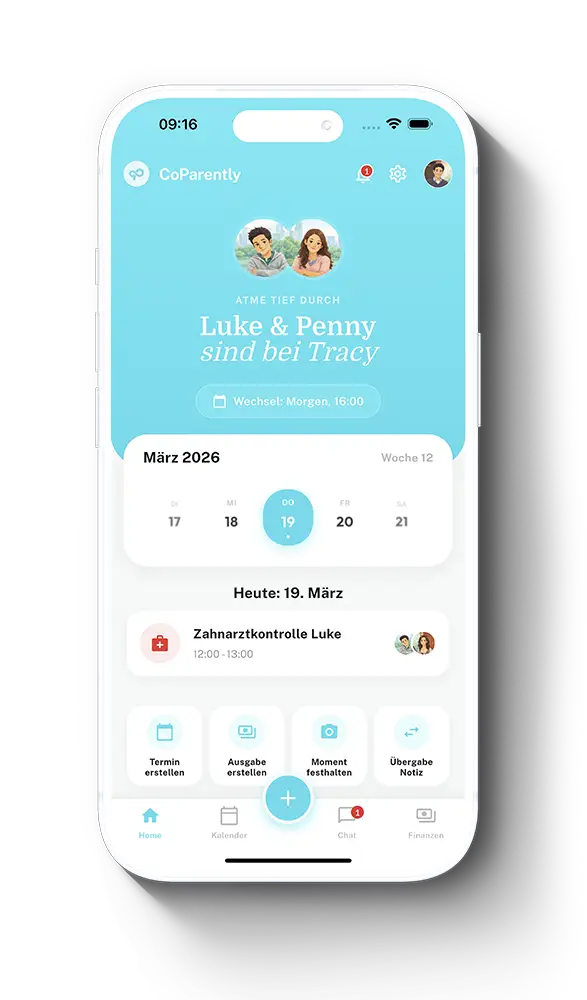
The CoParently Dashboard is your digital hub. In just a few seconds, it answers the questions that really matter in everyday family life: Where are the kids right now? When is the next actual transition? Which appointments, tasks, or messages are new – and what’s happening at school today? Even short parenting times, like lunch supervision, are clearly categorized. This way, you have the coming days in view without having to switch between the calendar, chat, and child profiles.
1
Live status & next transition
Understand even short care periods correctly.
As soon as you open the app, you can see who the children are with and when they return or switch to the other parent. The dashboard automatically recognizes short daytime blocks and shows, for example, “with Dad this afternoon” along with the corresponding return time. For the transition display, only actual handovers to the other parent count – even for recurring parenting appointments. This creates clarity without you having to do the math in the calendar yourself.
02
The 14-day overview
The week in the rearview mirror. The next one firmly in sight.
The perfect horizon for your planning: Our dashboard shows you a compact timeline of the last 7 and the next 7 days. This way, you immediately see which appointments are coming up and what just happened, without losing track in a packed monthly calendar.
03
Quick Actions
Important things done in seconds.
In everyday life, things often need to move fast. Via Quick Actions, you can create an appointment, enter an expense, capture a beautiful Moment, or start a private Smart Log directly from the dashboard. No detours through submenus – just select, enter, and finish.
04
Shortcut to the Child Vault
All child info just one click away.
A tap on your child’s profile picture is all it takes to land directly in their personal information vault. From clothing sizes and allergies to emergency contacts and school schedules, your kids’ most important data is immediately at hand when you need it.
05
School & Schedule
The school day directly in view.
Create school hours and color-coded subjects in the Child Vault. For selected children, the dashboard automatically displays today’s schedule with the next lessons. A tap is enough to open the full weekly plan – practical for the commute, pickup times, and the question of which bag needs to go along today.
06
Practical & Personal
Check off lists. Share memories.
The dashboard always shows you the latest chat messages and the most recent shared “Moments” – so you stay fully in the loop even on days without the kids. And to make sure those tedious chores aren’t neglected, you can pin your most important checklists directly to the dashboard.
Try it for free for 14 days – then you decide.
Fair, transparent, and
no subscription traps.
Start your new beginning completely risk-free. Download CoParently and get immediate access to all PRO features. After 14 days, your account will automatically switch to the permanently free Basic mode. You don’t need to cancel anything.